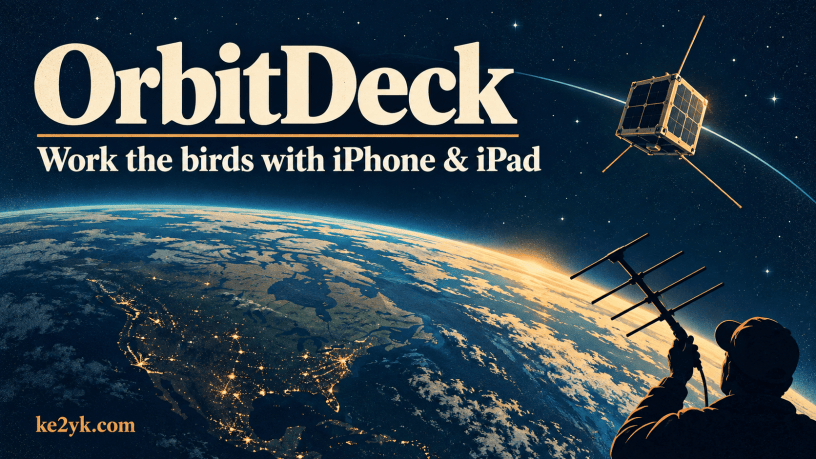
A satellite pass keeps your hands full. OrbitDeck brings tracking, tuning and logging tools together on an iPhone or iPad.
Holding a beam, tuning a radio and trying to catch a callsign can make you wish for a third hand. Add a phone with a pass timer, and there’s quite a bit to keep track of before the bird slips out of range.
That’s what makes OrbitDeck worth a closer look. Developed by Paul Stoetzer, N8HM, and released in September 2026, it puts several parts of satellite operating into one app. There are tools to plan the pass, help with tuning and save the QSO afterward.
The September 27, 2026, AMSAT News Service report introduced the app for iPhone and iPad running iOS 17 or later. I haven’t tried it on the phone yet, so this first look draws on that report and the developer’s project page.
Start with a good pass
Before heading out, you want to know when the bird will arrive and where it will cross the sky. OrbitDeck provides pass times, height plots, maps and a daily schedule for your favorite satellites.
The height of a pass matters as much as the time. A bird that stays low may spend much of its pass behind the neighbor’s house or a hill. One that climbs higher may give you a better shot. Knowing that ahead of time helps you choose a spot with a clear view.
If you’re new to the birds, the two aiming terms are easy to sort out. Azimuth is the compass direction. Elevation tells you how far to tilt the antenna up from the horizon. At 90 degrees, you’re pointing straight overhead.
OrbitDeck’s sky plot helps show that path from your point of view. Its ground track follows the bird across a map of Earth. You might use the map to see where it’s headed, then turn to the sky plot when it’s time to aim the beam.
Less time chasing the dial
A satellite won’t sit still on the dial as it flies past. Its motion shifts the frequency you receive, an effect called Doppler shift. It’s much like the change in pitch you hear when a siren passes you.
OrbitDeck includes Doppler displays and can tune supported radios to follow that shift. The listed options include Icom CI-V, Yaesu and Kenwood connections. Radios supported by Hamlib can also connect through rigctld, a service that lets software control a rig over a network.
That’s an appealing feature when you’re trying to pull a weak call out of the noise. Letting the app handle tuning could give you more time to listen and work the contact.
You’ll need to check how your own rig connects, though. The developer lists supported network links and Bluetooth Low Energy serial adapters. Bluetooth Classic SPP adapters won’t work with the iOS app. It’s worth sorting out that detail before ordering an adapter.
At a home station, OrbitDeck can also control a supported antenna rotator. It can follow the pass and park the antenna afterward. Put that together with radio control, and the phone or tablet could handle much of the station’s tracking work.
Get the contact into the log
Once the bird is gone, there’s still a QSO to record. OrbitDeck has its own log, with support for ADIF log files and uploads to Logbook of The World, or LoTW.
ADIF lets you move contacts between logging programs, which is useful if you want to keep your main log back in the shack. LoTW is ARRL’s service for matching your contacts with the other stations’ records.
For LoTW uploads, the app uses your imported callsign certificate. That identifies you as the source of the log. If you haven’t used LoTW before, the LoTW getting-started guide is a good place to begin.
The useful part here is keeping the log close to the rest of the operating tools. After a busy pass, you can get the details down while they’re fresh, before packing up or getting ready for the next one.
A few extras worth a look
AMSAT’s report also lists SatNOGS transponder data. That puts frequency and mode details within reach when you’re setting up for a bird. The uplink is the signal you send to the satellite; the downlink is the one you listen for coming back.
There’s SSTV decoding, too. Slow-scan television sends still pictures as radio tones, and a decoder turns those tones back into an image. If receiving pictures is part of your satellite fun, this is another feature to explore.
Then there are more than 60 calculators for antennas, feedlines, RF and orbits. You may not need those during a pass, but they could earn their keep back at the bench. Working out how much signal you lose in a length of coax is the sort of job that comes up when planning a station.
Take it one pass at a time
There’s a lot to explore here. For a first outing, I’d keep it simple: choose one bird, look over its path and listen through a pass. Get comfortable finding what you need on the screen. Radio control and the other extras can come next.
The part that needs an on-air test is how it all feels when things get busy. A screen that’s easy to read at the kitchen table may be harder to use in bright sun. Reaching the log is a different job when you’re also holding an antenna.
That’s where OrbitDeck will have to earn its place in the station. Bringing these tools together is a good reason to give it a look. Making a pass easier to work would be a good reason to keep it.
Helpful Resources
Want to learn more or get your station set up? Start with these links:
OrbitDeck on the App Store
Download the app and check its device requirements.
https://apps.apple.com/app/orbitdeck/id6802070968
OrbitDeck Website and Guides
Find help with setup, radio control, logging and other features.
https://orbitdeckios.n8hm.radio/
OrbitDeck on GitHub
Browse the source code and project notes.
https://github.com/prstoetzer/OrbitDeckiOS
AMSAT’s OrbitDeck Report
Read the September 27, 2026, introduction to the app.
https://www.amsat.org/ans-270-amsat-news-service-weekly-bulletins/
SatNOGS Satellite Database
Look up satellite frequencies and modes.
https://db.satnogs.org/
Hamlib Radio-Control Tools
Explore software that connects supported radios and rotators to programs such as OrbitDeck.
https://hamlib.github.io/
Getting Started with Logbook of The World
Follow ARRL’s steps to set up LoTW and get your callsign certificate.
https://lotw.arrl.org/lotw-help/getting-started/
About ADIF Log Files
Learn about the file format used to move contacts between logging programs.
https://www.adif.org/
You can find OrbitDeck in the OrbitDeck App Store listing. Visit the developer’s website for setup guides, or browse the public source code on GitHub.
Follow Me on Mastodon
Discover more from KE2YK
Subscribe to get the latest posts sent to your email.


Comments are closed.