Listen for free, or add transmit features with Pocket Shack Pro.
Away from your radio and want to listen to a favorite AllStarLink node? For licensed hams with supported Apple devices, Pocket Shack offers free listening; this guide explains what you need, what costs extra, and how to start.
Pocket Shack requires an AllStarLink account, which licensed amateur radio operators can create using their callsign and a copy of their current license. Sign up for an AllStarLink account.
Developed by Cygnus Strategy, the app works with AllStarLink nodes that allow app connections. You don’t need your own node or radio, but you do need an AllStarLink account.
Find a Node and Listen
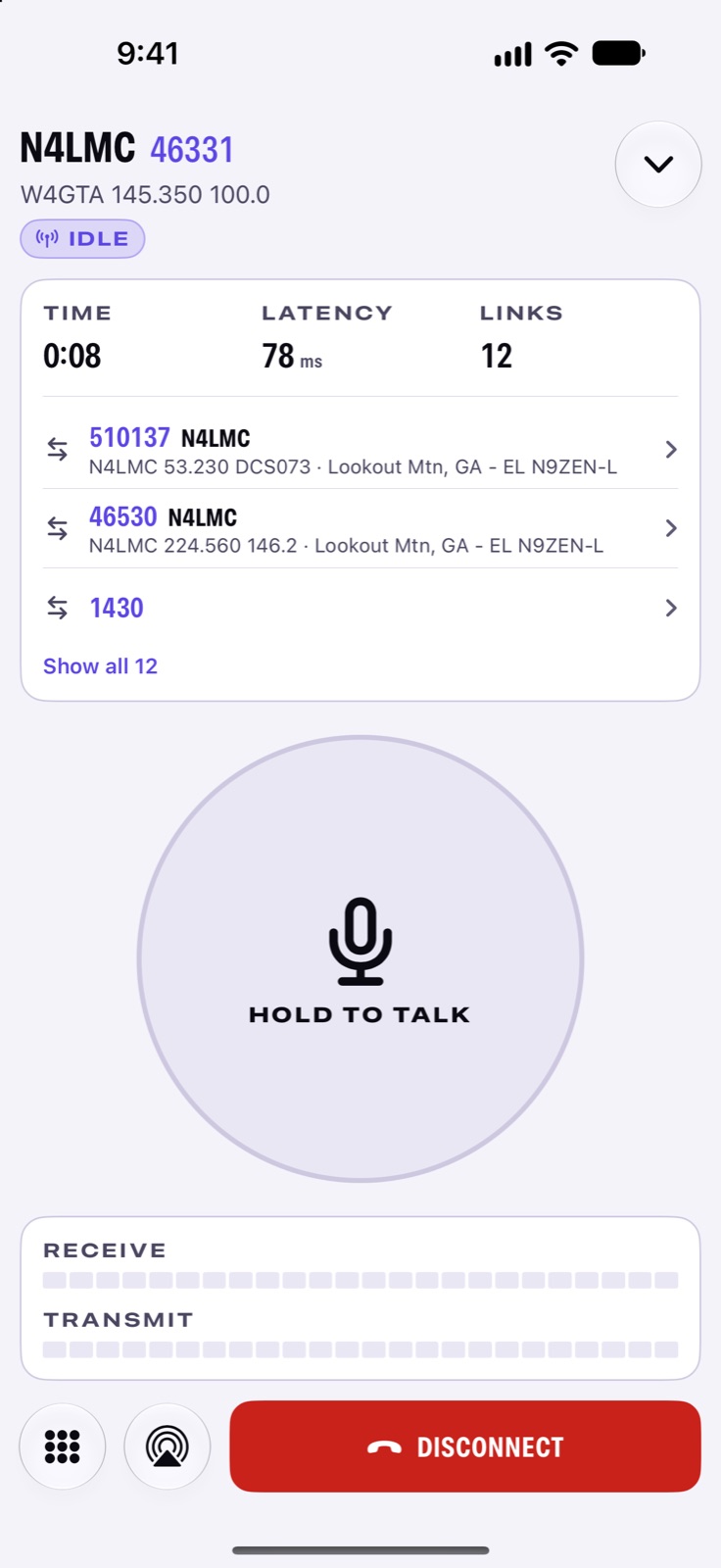
Pocket Shack lets you search for nodes by number, callsign, or location. You can save favorites and view node details, including linked systems and activity.
Listening is free. That makes it possible to try the app with a compatible node before deciding whether to buy the transmit upgrade.
Your connection travels over the internet. It depends on your internet service and the remote node being available.

What Pro Adds
Pocket Shack Pro unlocks push-to-talk, voice activation, a transmit timer, and microphone-level controls. The developer also lists transmit controls for Apple Watch and CarPlay.
The current U.S. prices are:
- Monthly: $1.99
- Annual: $14.99, with a seven-day free trial
- Lifetime: $39.99
Check the App Store before purchasing, since prices and offers can change.
Check Your Apple Devices
The current App Store listing requires iOS 26.1, iPadOS 26.1, macOS 26, or watchOS 26, depending on the device.
The developer says the app is not yet available in the European Union or mainland China. Pocket Shack is an independent product and is not affiliated with AllStarLink, Inc.
Worth Trying?
For an AllStarLink user with a supported Apple device, free listening offers a useful starting point. Try a familiar node, check the connection and audio, and then decide whether transmitting is worth the upgrade.
This is an introduction based on the developer’s information and App Store listing, rather than a hands-on review.
Official Resources
Related Reading
- OrbitDeck: iPhone iPad Satellite App for Ham Radio — Explore another way Apple devices can help with ham radio, this time with satellite tracking and operating tools.
- POTACAT: Free POTA, SOTA & DX Spotting Software — Read about software that brings spotting and radio control together at the operating desk.
Start With a Listen
Pick one familiar node and try the free listening option first. Get comfortable with the connection before deciding whether you need Pro.
Have you tried Pocket Shack? Share which Apple device you use and how it works with your favorite node in the comments.
Follow Me on Mastodon
Discover more from KE2YK
Subscribe to get the latest posts sent to your email.

