Twelve contacts in the park can still leave you short of a successful POTA activation. The detail to watch is the UTC date attached to each QSO.
You pack up after an evening in the park with 12 contacts in the log. The radio worked, hunters answered, and you passed ten. Then you check POTA and wonder why the outing didn’t qualify.
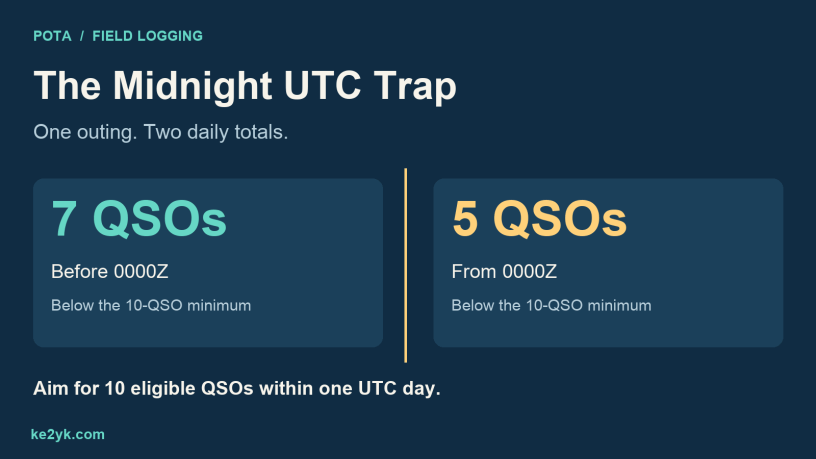
One possible explanation is easy to miss: you crossed midnight UTC. Seven contacts landed on one UTC date and five on the next. The outing felt like one session, but the two daily totals never reached ten.
Why the UTC day matters
UTC gives operators around the world a shared clock and calendar. Local dates can differ at the two ends of a contact; UTC removes that ambiguity.
The official POTA rules require at least ten eligible QSOs from a listed park within a single UTC day for a successful activation. Returning to that same park in the same state, province or entity later in the same UTC day can add to that day’s total. Crossing 0000Z starts a new daily count.
Count valid contacts, not simply rows in a logger. Duplicate or otherwise ineligible entries won’t rescue a short daily total. And if you finish below ten, submit the log anyway so your hunters can receive credit.
UTC midnight arrives during a New York evening
- During daylight saving time: 0000 UTC is 8:00 p.m. EDT on the preceding local date.
- During standard time: 0000 UTC is 7:00 p.m. EST on the preceding local date.
For example, 8:00 p.m. EDT on September 29, 2026, is 0000 UTC on September 30. New York is still on September 29 while your UTC log has moved to September 30. The official U.S. time display is useful for checking both UTC and the current local offset.
Elsewhere, calculate the conversion for your own location and operating date. UTC itself does not change for daylight saving time.
One outing, two totals
Here’s an illustrative New York evening activation at one park, using eligible contacts and one station callsign:
| Part of outing | UTC date | QSOs | Result |
|---|---|---|---|
| Before 8:00 p.m. EDT | September 29 | 7 | Below ten |
| From 8:00 p.m. EDT onward | September 30 | 5 | Below ten |
The 12-QSO outing produces no successful daily activation in this example. Five more eligible contacts on the second UTC date would bring that date to ten; they would not change the first date’s seven.
My QRP Portable Ops article includes my Fire Island portable operating setup. For an evening outing of that kind, the useful addition to the packing list is a note showing when the UTC date changes. This midnight example is a teaching scenario, not a report of that Fire Island outing.
Three ways to plan around 0000Z
- Reach ten before the rollover. Start with enough time to make ten eligible contacts on the first UTC date. A few extra contacts give you room for an entry that later proves invalid.
- Start after the rollover. If the timing suits your visit, begin on the new UTC date and work toward ten there.
- Work both dates deliberately. Aim for at least ten on each side of midnight. Keep a separate running count for each date.
An alarm shortly before 0000Z can be a useful reminder. Allow for park hours and the time needed to pack up.
Check your logger before leaving home
Start with an accurate device clock and the correct system time zone. In your logger, select UTC for the logging display if that option exists; otherwise confirm how its date and time fields work. Don’t manually shift a correct device clock just to make it show UTC.
Create a fresh activation log and verify your station callsign, operator details where applicable, and park reference. A new log is an organizational aid; it does not define POTA’s daily boundary.
If you use HAMRS, see my HAMRS overview and the current HAMRS site. Make a disposable practice log, export it, and compare the exported UTC date and time with a known time. Keep practice entries out of your real upload. Menu locations can vary by version; the exported values are the important check.
For another logging option, see World Radio League: A Modern Way to Log, Explore, and Enjoy Amateur Radio. Use the same export check with whichever logger you choose.
Paper logs need a date change, too
Write the station callsign and your park reference at the top of the page. For each contact, record:
- UTC date and starting time
- The other station’s callsign
- Band and mode
- The other park reference or references for a park-to-park contact
At 0000Z, draw a line and write the new UTC date before the next entry. If you recorded local times, label the time zone and convert both date and time when transcribing. Changing only the hour is how an otherwise tidy log ends up a day off. POTA’s Logging Made Easy guide explains the fields and park-to-park information.
Inspect the ADIF date and starting time
Open a copy of your exported ADIF file in a plain-text viewer. QSO_DATE uses YYYYMMDD; TIME_ON uses HHMM or HHMMSS. Both describe the contact’s start in UTC. POTA tallies the start, not the finish, according to its ADIF technical reference.
These two illustrative date-and-time excerpts show the rollover. They are not complete QSO records or a file to upload:
<QSO_DATE:8>20260929 <TIME_ON:4>2358<QSO_DATE:8>20260930 <TIME_ON:4>0002
In New York, those starts are 7:58 p.m. and 8:02 p.m. EDT on September 29. The local evening stays the same; the UTC date changes. A contact beginning at 23:58Z and finishing after midnight belongs to its starting UTC date.
For P2P entries, inspect the other park’s SIG_INFO and its SIG value of POTA. Your own park is represented by MY_SIG_INFO, with MY_SIG set to POTA. Don’t confuse your park with the other operator’s park.
Review before uploading—and correct genuine errors
Sort your log by UTC date and time. Count eligible QSOs on each date, inspect entries around 0000Z, and check callsigns, bands, modes and P2P references. Make sure the export matches your original notes.
You may keep contacts from multiple UTC dates in one ADIF file. POTA’s log submission guide explicitly permits this; combining them in a file does not combine their daily totals.
If you discover an error after uploading, keep your original file, correct the source log, and export a replacement. On My Log Uploads, use the Request Support option beside the incorrect log to request its removal. Wait until the help desk removes it, then upload the corrected file. POTA volunteers do not edit individual QSOs for you.
Only correct dates or times that are actually wrong. An accurate seven-and-five split is a valid record of what happened, even though neither date qualifies.
Quick field checklist
- □ Know when 0000Z occurs locally.
- □ Check the clock, UTC date, callsign and park.
- □ Record each QSO’s UTC starting time.
- □ Change the paper-log date at midnight UTC.
- □ Count eligible contacts separately for each UTC date.
- □ Check rollover entries and P2P references before upload.
- □ Submit the log even if you finish below ten.
Before the next evening CQ, check which UTC date you’re on and how much of it remains. That small habit can save a lot of head-scratching after the gear is packed.
Official resources
- POTA rules
- POTA Activator Guide
- POTA Logging Made Easy
- ADIF for POTA technical reference
- Submitting and correcting POTA logs
Follow Me on Mastodon
Discover more from KE2YK
Subscribe to get the latest posts sent to your email.


Comments are closed.