Make a simple station guide so you can spend more time on the air and less time chasing cables and settings.
Ever get to a park and forget which cable goes where? Or find that the laptop no longer talks to the rig? Document your QRP station while it works. Next time, you’ll have the answers in your go-bag.
Steve, KV4AN, built his station notes after spending two weeks getting an FTdx3000 working on digital modes. His idea is useful for any ham: record enough detail to put the station back together. Here’s how to do it for your portable kit.
1. Pick One Setup
Start with the kit you use most. Set it up at home. Open a notebook or a document and name it something clear, such as “40/20-Meter POTA CW Kit.” Add the date.
Keep your manuals and phone camera handy. Make a separate page for each setup if you swap rigs, antennas, or modes.
2. List the Gear and Show the Connections
List the rig, battery, antenna, tuner if used, key or mic, and logging gear. Include every cable and adapter. Add model numbers so you can find the right replacement later.
Give cables short labels, such as C1 and C2. Write down both ends, the length, and what each cable does. Then take a clear photo of the connected station.
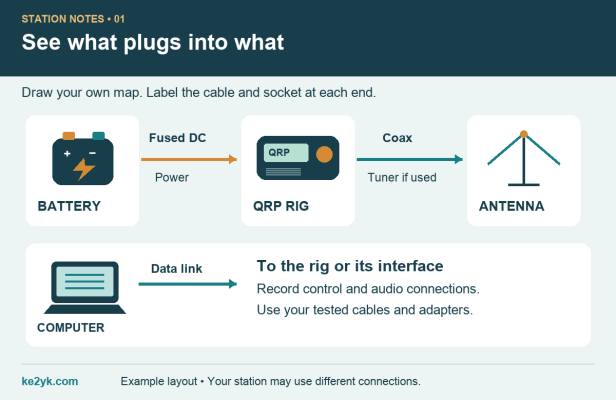
For the antenna, note the wire or whip length, support height, radials if used, and coax length. If you record SWR, include the frequency and whether the tuner was in line or bypassed.
3. Note the Power Details
From the manual, record the rig’s supply-voltage range, plug polarity, and current draw. Add your battery’s capacity and the power lead’s fuse rating. Mark any values you measure as your own readings.
Keep it practical: note your usual RF output and how long the battery lasted on an outing. Include the mode and rough operating time. A quiet CW session and a busy digital session can put different demands on the battery.
4. Save the Settings That Work
You don’t need to copy the whole manual. Record the settings you change, using the menu name and its value. For CW, start with keyer mode, paddle direction, speed, break-in, and RF power.
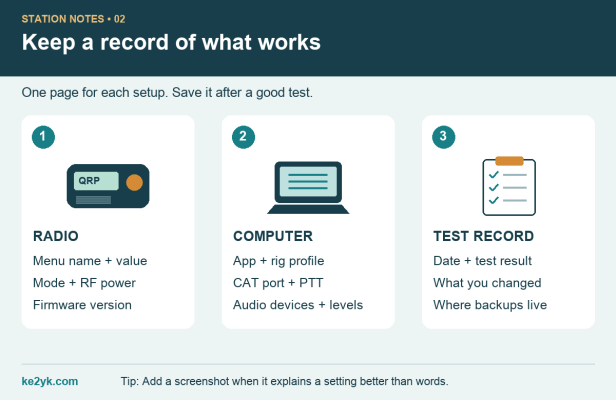
Running digital modes? Save screenshots and these details:
- Software: app name, version, and rig profile.
- CAT control: port, baud rate, and other settings needed for the computer to control the rig.
- PTT: how the app keys the transmitter.
- Audio: selected input and output devices, levels, and the rig’s data-audio source.
- Checks: radio mode, RF output, and time-sync method where needed.
Test control, receive audio, and transmit separately. Just because the app reads the frequency doesn’t mean the audio is right. Save your own working values; another ham’s setup may differ.
5. Keep a Backup and a Short Fix Log
Before an update or reset, follow the maker’s instructions and save a settings backup if the rig supports it. Record the firmware version and where the backup lives. Do the same for your logging or digital-mode app.
When you solve a problem, write three things: what failed, what you changed, and what worked. Add the date. That small note may save you an hour next time.
6. Pack It, Test It, and Take the Notes
Turn your gear list into a packing checklist. Save the guide on your phone and check that it opens with no network connection. Keep a printed setup card in the bag as a backup.
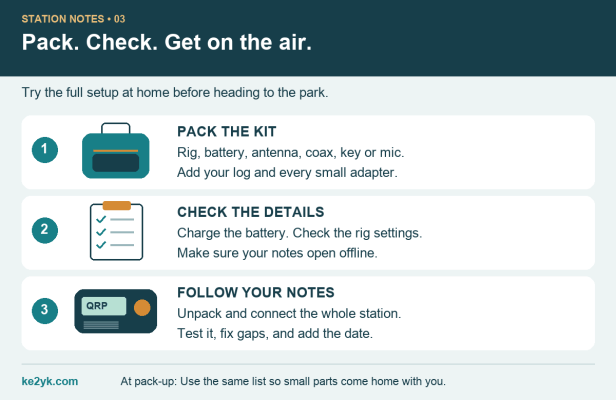
Now pack the kit and set it up using only your notes. Fix any missing steps. Check the functions you plan to use, then mark the guide with the test date.
That’s your first station guide done. Update it when you change the kit, and use the same list when packing up at the park. Those little adapters are easy to leave behind!
What’s the one setting or cable you always have to look up?
Author Reference
Based on Steve, KV4AN’s Documenting Your Station Configuration (October 11, 2026). The steps and graphics here adapt his approach for a portable QRP kit.
Follow Me on Mastodon
Discover more from KE2YK
Subscribe to get the latest posts sent to your email.

