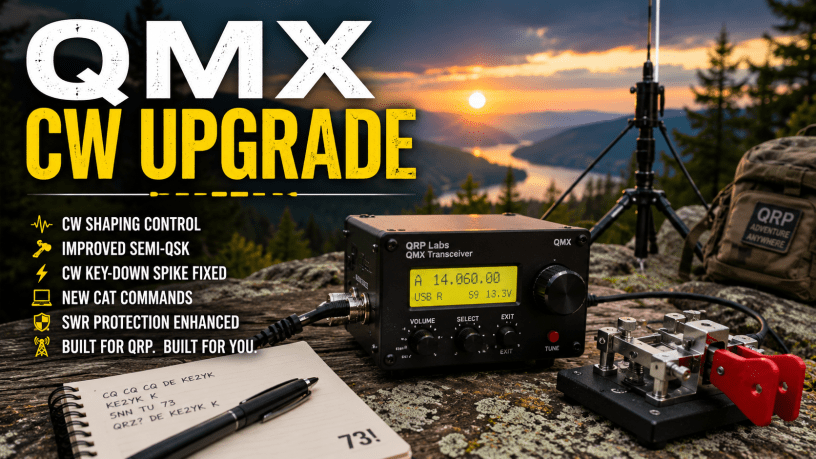
Firmware 1.04.004 brings some worthwhile improvements for CW and QRP operators.
If you own a QRP Labs QMX and enjoy CW, firmware 1.04.004 is an update worth taking a look at.
Released July 23, 2026, the update doesn’t dramatically change the QMX. Instead, it improves several things CW operators actually notice—keying, transmit shaping and Semi-QSK behavior—while adding a few useful features for computer control and experimentation.
Better CW Shaping
One of the most useful additions is greater control over the QMX’s CW shaping envelope and rise/fall times.
Rather than simply switching the carrier on and off abruptly, CW shaping controls how quickly RF power rises and falls when you key the transmitter. Proper shaping can help produce a cleaner CW signal and reduce unwanted key clicks.
Firmware 1.04.004 gives QMX operators more control over this behavior.
CW Key-Down Spike Fixed
QRP Labs also corrected a leading-edge power spike during CW key-down.
It may sound like a small issue, but clean and predictable keying is important—especially when you’re operating QRP and trying to put the best possible signal on the air.
Semi-QSK Fix
There’s also an important correction for Semi-QSK CW operation.
The previous firmware could key the second and subsequent dits even when transmit was disabled in the Band Configuration. Version 1.04.004 corrects that behavior.
For operators who spend a lot of time using a paddle, improvements to break-in operation are always welcome.
New CAT Commands
Computer-control capabilities have also been expanded.
Two notable additions are:
- GP — returns GPS position, date and time.
- SR — reports SWR protection status and can reset it.
These additions should be particularly useful to operators experimenting with logging software, station automation and computer-controlled QMX installations.
A Few More Improvements
Firmware 1.04.004 also adds:
- A 12-watt full-scale power meter option, useful for the 4:4 PA modification.
- SMPS bias circuit pre-warming when the radio powers up.
- A correction to menu items that incorrectly allowed two digits instead of one.
The 12-watt scale won’t matter to most stock QMX owners, but it’s a nice addition for experimenters who have modified their radios.
Should You Upgrade?
For CW operators, I think this one is worth considering.
The combination of adjustable CW shaping, the key-down spike fix and improved Semi-QSK behavior addresses the kind of details that can make a small CW radio more pleasant to operate.
And updating the QMX is refreshingly simple.
You don’t need a special programming cable, drivers or firmware-update software. The QMX uses the QRP Labs Firmware Update (QFU) system. With the radio in firmware-update mode, it appears on your computer as a USB drive. Download the firmware ZIP file, extract the .QMX file and copy it to the QMX drive.
Before updating, I recommend reading the official instructions and checking the firmware release notes.
Official QRP Labs resources:
QRP Labs:
https://www.qrp-labs.com/
QMX product, documentation and firmware downloads:
https://www.qrp-labs.com/qmx/
Scroll down to the Firmware section of the QMX page. Firmware 1_04_004 and the corresponding operating and CAT programming manuals are available there.
Final Thoughts
Firmware 1.04.004 isn’t about adding flashy features. It’s about polishing the QMX where it counts.
For CW operators, better shaping, cleaner keying and improved Semi-QSK operation are meaningful improvements. Add the new CAT commands and other refinements, and QRP Labs has made an already interesting little QRP transceiver a bit better.
That’s one of the advantages of radios like the QMX: the hardware may stay the same, but good firmware development can continue improving the operating experience long after you buy the radio.
73,
KE2YK
Discover more from KE2YK
Subscribe to get the latest posts sent to your email.


Most photos of real images you find on Google, etc. are copyright protected. It’s very easy to use AI to generate an original and unique image for blog posts. If you have a QMX and want to post your image with your call sign or ham shack in the background, feel free to send it to ke2yk48@gmail.com 73 de KE2YK
LikeLike
@ke2yk.com @F4LUB it's a bit funny that, instead of using one copyrighted photo (which would probably be fair use anyway), you use a wrong picture composed of multiple copyrighted photos. I guess the text is LLM output, too?
LikeLike
@ke2yk.com Why the text was so repeating and not getting to the point? AI generated?
LikeLike